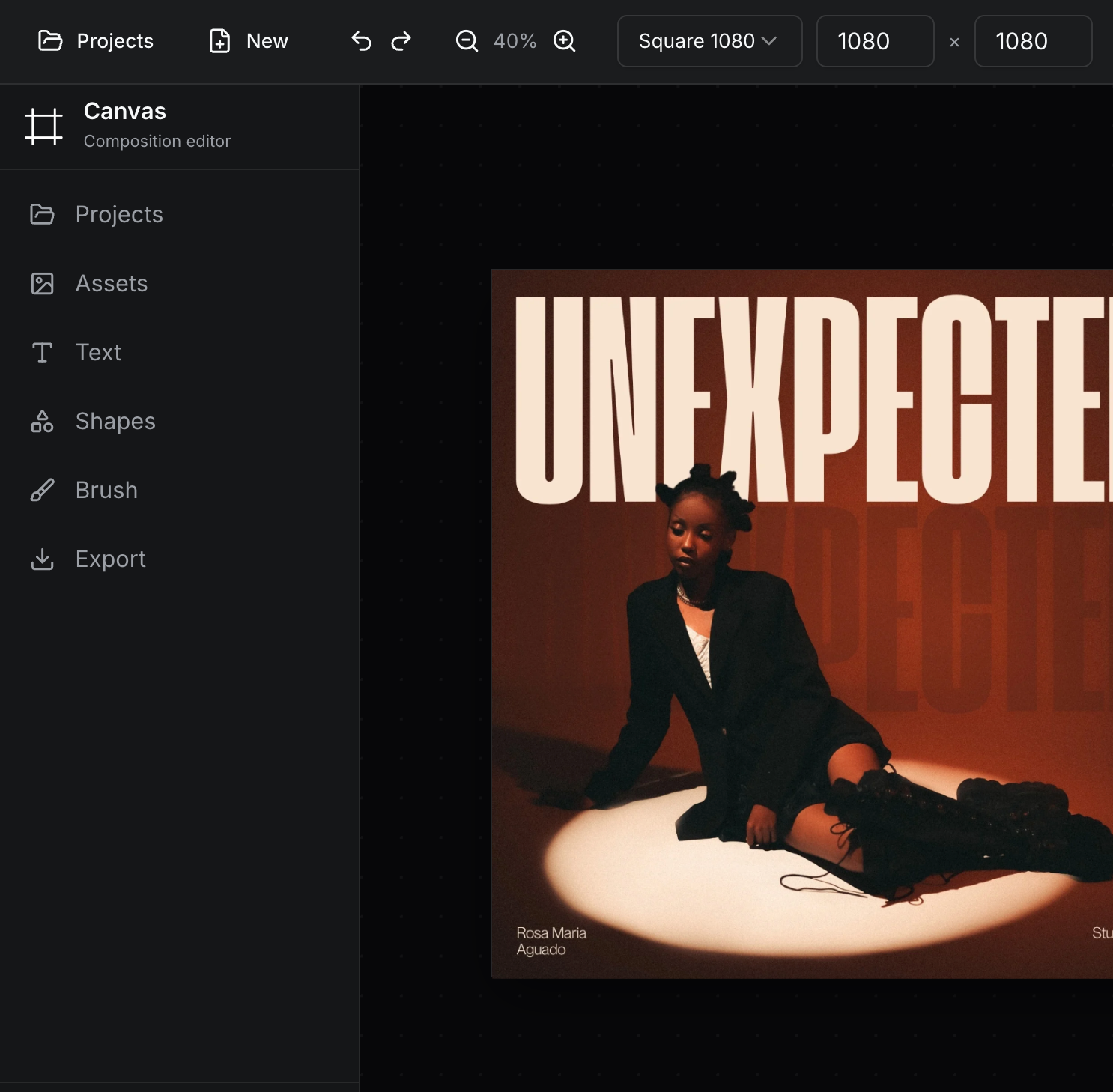
FrameSpace Apps Are Now Available on Mobile
FrameSpace just became a lot easier to use wherever inspiration hits.
All FrameSpace apps are now available and optimised for mobile devices, making it easier for designers, creators, and visual artists to access creative tools from a phone or tablet. Whether you want to test an idea, make a quick adjustment, explore a visual effect, or check a project on the go, FrameSpace is now built to feel much more usable across different screen sizes.
This update is part of a wider push to make FrameSpace feel cleaner, more consistent, and easier to use across the full app collection.
Creative tools, now easier to access on mobile
FrameSpace was built as a collection of browser-based creative apps for designers. Tools like Canvas, 3D Chrome Text, Dither Lab, Halftoner, Gradient Weaver, Motion Lab, Color Engine, Icon Vault, and more are designed to help speed up creative workflows without needing to open a heavy desktop app every time.
Now, those tools are much more mobile-friendly.
That means you can browse, launch, and use FrameSpace apps from your mobile device with a smoother interface, cleaner layouts, and improved usability across smaller screens.
This is especially useful for quick creative tasks, such as:
-
Testing ideas while away from your desk
-
Checking outputs on mobile
-
Making fast adjustments
-
Exploring tools before starting a bigger project
-
Using utility apps like image compression or file conversion on the go
The goal is simple: FrameSpace should feel accessible wherever you are.
Is FrameSpace better on mobile or desktop?
FrameSpace apps are now optimised for mobile, but the best experience will still usually be on desktop.
That is especially true for more detailed creative work. A larger screen, mouse or tablet input, easier file management, and more room for controls will always make desktop the stronger choice for serious design sessions.
Mobile is great for quick access, testing, browsing, light edits, and smaller creative tasks. Desktop is still best when you want more precision, more control, and a smoother full creative workflow.
Think of mobile as a more flexible way to use FrameSpace, not a replacement for the full desktop experience.
A cleaner, more consistent UI across all apps
Alongside the mobile optimisation update, a general UI pass has also been completed across all FrameSpace apps.
This means the apps now feel more consistent from tool to tool, with improvements focused on layout, spacing, navigation, visual hierarchy, and overall usability.
Instead of each tool feeling slightly separate, the FrameSpace experience now feels more connected. Buttons, panels, controls, labels, and general interface patterns have been refined so users can move between apps more naturally.
For designers, this matters. A consistent UI helps reduce friction, especially when switching between tools during a creative workflow.
The result is a cleaner experience that feels more intentional across the full FrameSpace platform.
Why mobile optimisation matters for designers
Creative work does not always happen at a desk.
Sometimes an idea starts while travelling. Sometimes you need to check something quickly before sending it to a client. Sometimes you just want to explore a tool without sitting down for a full work session.
By making FrameSpace apps available on mobile, the platform becomes more flexible for real-world creative use.
Mobile access makes it easier to:
-
Review tools quickly
-
Experiment with visual ideas
-
Access creative utilities anywhere
-
Keep projects moving
-
Use FrameSpace without being tied to a desktop setup
For designers, creators, and digital artists, that extra flexibility can make a big difference.
What has changed?
The latest FrameSpace update focuses on three main improvements:
-
All apps are now available on mobile devices
FrameSpace apps can now be accessed more easily from phones and tablets. -
Mobile layouts have been improved
Interfaces have been adjusted to work better on smaller screens, with more usable spacing and navigation. -
A wider UI consistency pass has been completed
The overall FrameSpace experience now feels cleaner and more unified across the full app collection.
Together, these updates make FrameSpace feel more polished, more accessible, and easier to use across devices.
Frequently asked questions
Are all FrameSpace apps available on mobile?
Yes. All FrameSpace apps are now available and optimised for mobile devices, making it easier to access creative tools from your phone or tablet.
Is the mobile version the same as desktop?
The mobile version gives you access to the apps in a more flexible way, but desktop is still the best experience for detailed creative work. A larger screen gives you more space, precision, and control.
What is the best device for using FrameSpace?
For quick tasks, mobile is great. For deeper design work, desktop or laptop will usually be better.
Has the FrameSpace interface changed?
Yes. A general UI pass has been completed across all apps, with a focus on consistency, usability, and making the experience feel more connected across the platform.
FrameSpace is now more flexible than ever
This update is a big step toward making FrameSpace more accessible for everyday creative work.
You can now use FrameSpace apps on mobile, explore tools more easily, and enjoy a cleaner, more consistent interface across the platform. Desktop will still offer the best overall experience, especially for detailed design work, but mobile support makes FrameSpace much more useful when you need quick access away from your main setup.
Whether you are experimenting with a new visual style, compressing an image, converting a file, building a composition, or exploring creative effects, FrameSpace is now ready to use wherever your ideas start.